Task detail
Tap any row to see who it's with, when it's due and the exact line it came from.
In this article
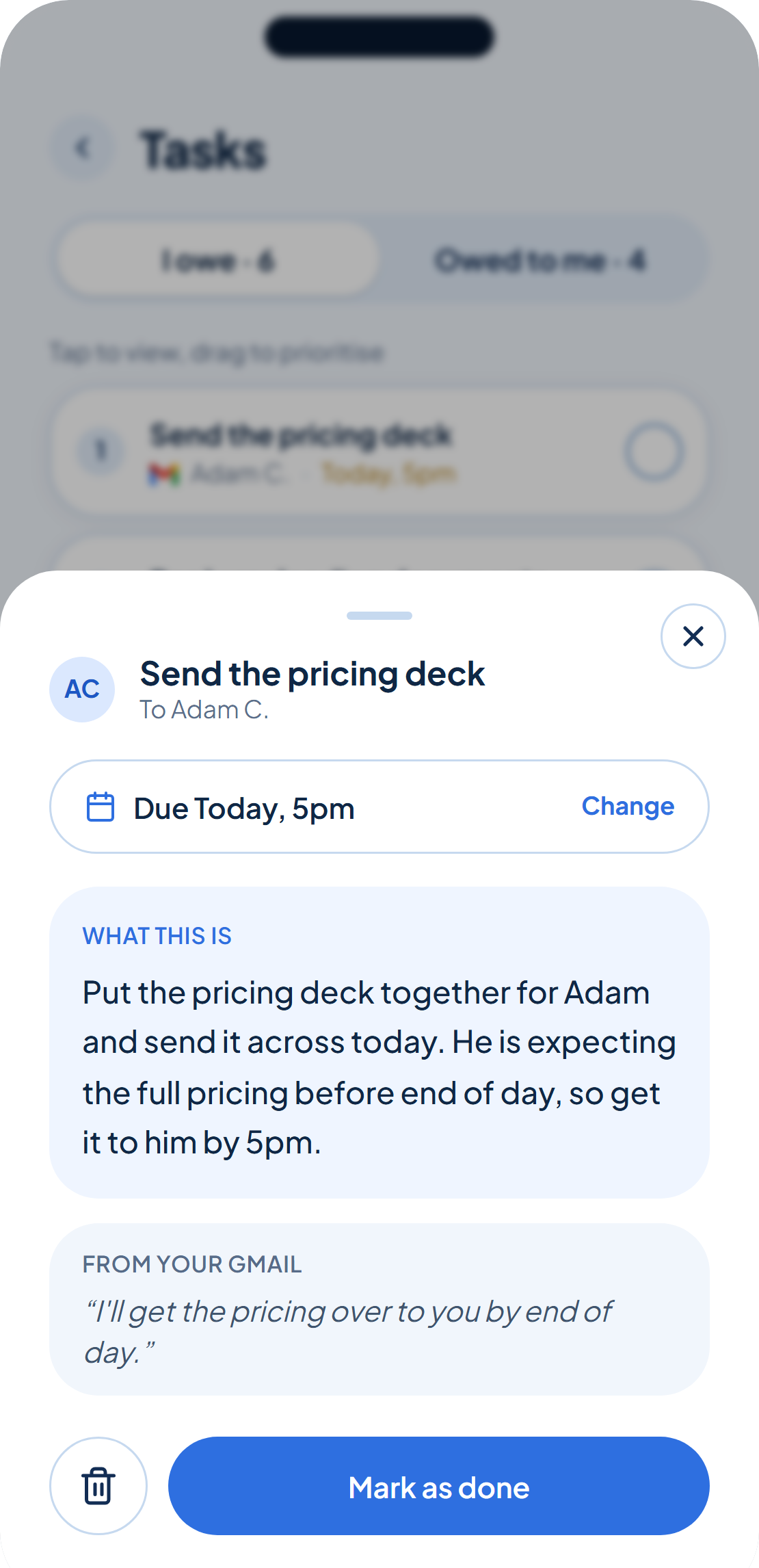
Tap a row on your list and its detail view opens: the task itself, who it's to or from, and when it's due.
The receipt: channel & excerpt
For anything rememberr caught, detail shows the tool it came from, "From your Gmail", for example, and the exact line it was pulled from, so you can see why it counted. A task you added yourself shows "Added by you" instead.
Set or change the deadline
Open the deadline picker right on this screen to set a due date for the first time, or change one that's already there. There's no separate settings page for it. From here you can also mark the task done, or tap Stop tracking to remove it from your list entirely, useful for a task that turned out not to matter.
Stop tracking removes a task outright. Marking it done keeps a record in your Done section, reopen it from there if you need to.
Was this helpful?